









Shooting distant subjects or close-up subjects
Solution
When shooting a distant subject or close-up subject, there are cases where focus cannot be achieved under the normal shooting range.
Set an optimal focusing range depending on your shooting conditions.
CAUTION
- The following explanations are provided based on the assumption that the [Shooting Mode] is set to [Program AE] (
 ).
). - In [Super Macro] (
 ) mode, [optical zoom] and [digital zoom] cannot be used.
 - If the [Shooting Mode] is set to [AUTO] (
 ), the [Focusing Zone] is automatically set, so it is not necessary to perform the procedures explained here. When shooting, please maintain designated distances from the subject as indicated below.
- 10 cm (3.9 in.) or more when turning the < Zoom Lever > toward < Wide Angle > ( ) to the maximum wide angle side.
) to the maximum wide angle side.- 1 m (3.3 ft.) or more when turning the < Zoom Lever > toward < Telephoto > ( ) to the maximum telephoto side.
) to the maximum telephoto side.- In the following shooting modes, you cannot set the [Focusing Zone].
- [Landscape] ( ), [Sports] (
 ), [Sunset] (
 ), [Fireworks] (
 )
)
), [Sports] (), [Sunset] (), [Fireworks] ()For a snapshot such as the one shown below, shoot in [Normal] ( ) mode.
) mode.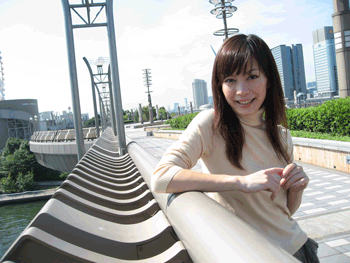
As shown below, shoot a subject that is within 50 cm from the lens edge in [Macro] ( ) mode.
) mode.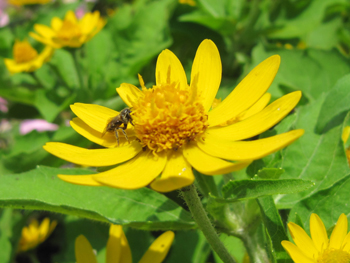
As shown below, shoot a subject that is within 10 cm from the lens edge in [Super Macro] () mode.
) mode.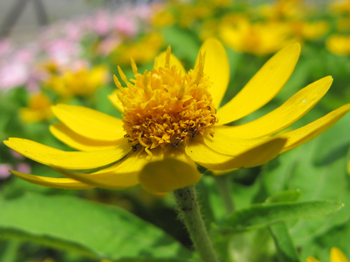
For landscape pictures with perspective such as the one shown below, shoot in [Landscape] () mode.
) mode. 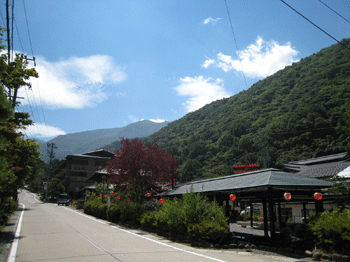
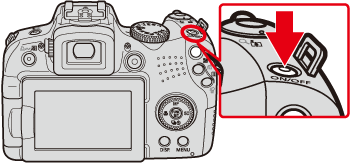
1. Press the < Power > button on the camera.
2. Press the < Macro > () button.
) button.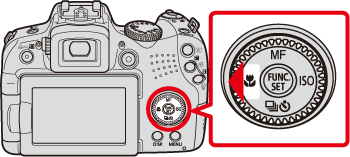
3. The following screen appears.
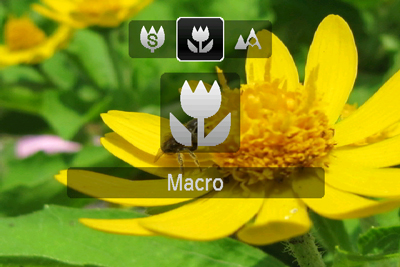
 Operate the < directional buttons > left or right to set an optimal focusing range for your shooting conditions.
 The focusing range you selected will appear.
4. When taking landscape pictures with perspective, set the [Shooting Mode] to < Landscape > () .
) .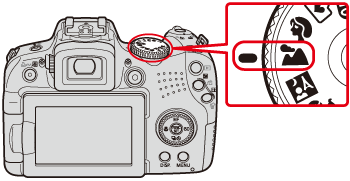
Set the < mode dial > to < Landscape > () .
) .5. The following screen appears.
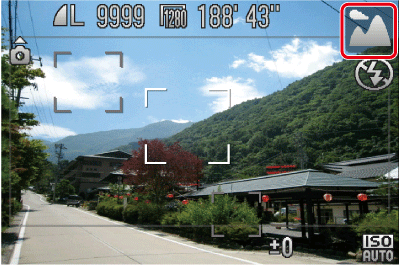
If [Landscape] () is indicated on the LCD Monitor, the camera is in [Landscape] () mode.
) is indicated on the LCD Monitor, the camera is in [Landscape] () mode.NOTE
- The screen indications when operating the < zoom lever > in [Macro] () mode are as follows.
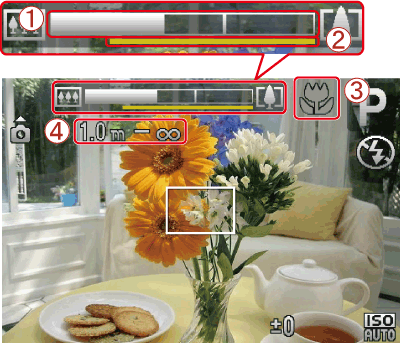
When you move the zoom lever, the [zoom bar] appears on the screen.
[zoom bar] appears on the screen.The camera cannot focus in in the yellow portion of the bar (When zooming within the range of the yellow bar,  (
( ) will be grayed out and shooting will be done in ()).
in the yellow portion of the bar (When zooming within the range of the yellow bar, () will be grayed out and shooting will be done in ()). The shooting range is indicated by number.
- The distance of each focusing range is as follows (from the end of the lens): If you shoot beyond the following ranges, the subject may be out of focus.
- [Normal] () : 50 cm (1.6 ft.) - infinity (W)* / 1.0 m (3.3 ft.) - infinity (T)**
) : 50 cm (1.6 ft.) - infinity (W)* / 1.0 m (3.3 ft.) - infinity (T)**- [Macro] () : 10 - 50cm (3.9 in. - 1.6 ft.) (W)*
) : 10 - 50cm (3.9 in. - 1.6 ft.) (W)*- [Super Macro] () : 0 - 10 cm (0 - 3.9 in.) (W)*
) : 0 - 10 cm (0 - 3.9 in.) (W)** (W) : When turning the < Zoom Lever > toward < Wide Angle > () to the maximum wide angle side (Max. wide angle).
) to the maximum wide angle side (Max. wide angle).** (T) : When turning the < Zoom Lever > toward < Telephoto > () to the maximum telephoto side (Max. telephoto).
) to the maximum telephoto side (Max. telephoto).