









Shooting Yourself under Optimal Settings (Self Portrait) (EOS M5)
Solution
For self-portraits, customizable image processing includes skin smoothing as well as brightness and background adjustment to make yourself stand out.
Procedures for shooting in [Self Portrait] mode are explained below.
1. Set the camera's power switch to [ON].
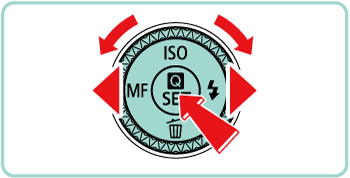
2. Set the mode dial to [SCN], and then press the [  ] button.
] button.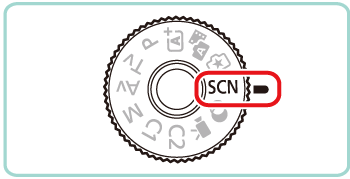

3. Press the [  ], [
], [  ] buttons to choose [Rec. Mode].
], [ ] buttons to choose [Rec. Mode].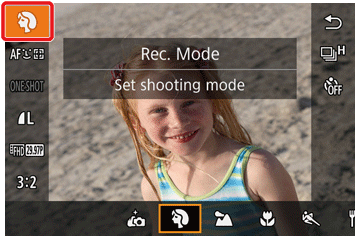
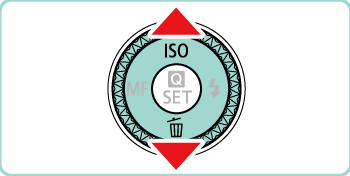
4. Press the [  ], [
], [  ] buttons or turn the [
  ] dial to choose [
  ], and then press [ ].
], [ ] buttons or turn the [ ] dial to choose [ ], and then press [ ].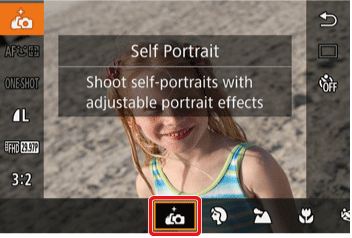
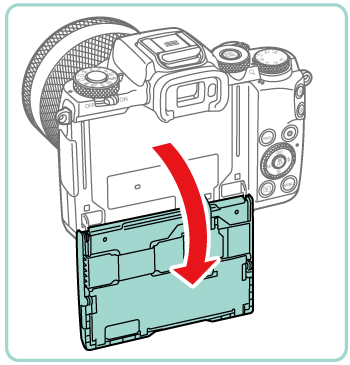
5. Open the screen.
6. On the screen, touch the icon of the setting to configure.
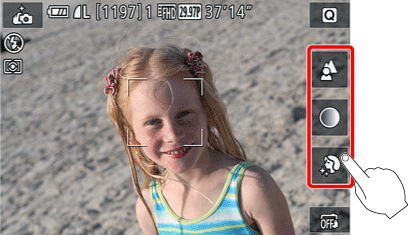
Setting details are shown in the table below.
| Item | Details |
 | Choose from [AUTO] or one of five levels of background defocusing. |
 | Choose from five levels of brightness. |
 | Choose from five levels of skin smoothing. Skin smoothing is optimized for the main subject’s face. |
 | To use touch shutter, choose [  ]. ]. |
- Choose the desired option.
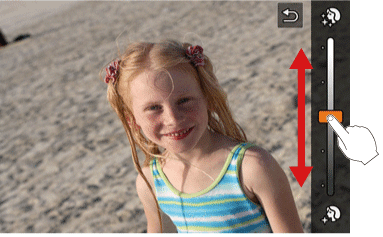
- To return to the previous screen, touch [
 ].
].
7. Shoot.
NOTE
- Areas other than people’s skin may be modified, depending on the shooting conditions.
- Try taking some test shots first to make sure you obtain the desired results.
- In [
 ] flash mode, [ ] is set to [AUTO] and cannot be changed.
 - In [ ] mode, the time left before shooting is shown on the top of the screen when you activate the self-timer by selecting [
 ] or by selecting [
  ] and setting the time to 3 seconds or more.
This concludes the procedures for shooting self portraits under optimal settings.