









Images are blurry or not in focus (PowerShot SX420 IS)
Solution
If images are blurred or out of focus when shooting, check the following items.
IMPORTANT
- The instructions in this section apply to a camera with the [Shooting Mode] set to [Program AE] (P).
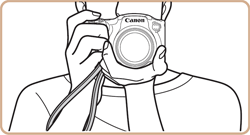
Hold the camera securely to reduce camera shake.
- Place the strap around your neck.
- When shooting, keep your arms close to your body and hold the camera securely to prevent it from moving. Do not rest your fingers on the [Flash].
In low-light conditions, the [Camera shake warning icon] [  ] blinks when you press the [Shutter button] halfway. Refer to the following points to prevent camera shake.
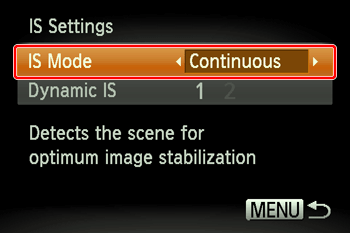
] blinks when you press the [Shutter button] halfway. Refer to the following points to prevent camera shake.Set [IS Mode] to [Continuous].
 Press the power button.
 Press the [MENU] button and then choose the [
  ] tab.
 Press the [
  ], [
], [  ] buttons, choose [IS Settings], and then press the [
  ], [
], [  ] buttons to set [IS Mode] to [Continuous].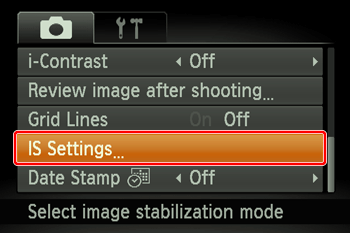

Choose [  ] (On).
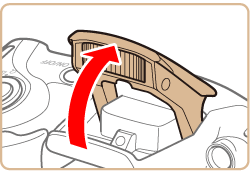
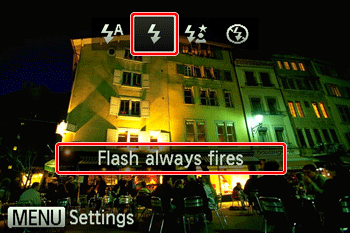
] (On).- Lift the flash, press the [ ] button, and then press the [ ], [ ] buttons to choose [ ](On).

NOTE
The setting screen cannot be accessed by pressing the [ ] button when the flash is lowered. Lift the flash with your finger in advance.
] button when the flash is lowered. Lift the flash with your finger in advance.Increase the ISO speed.
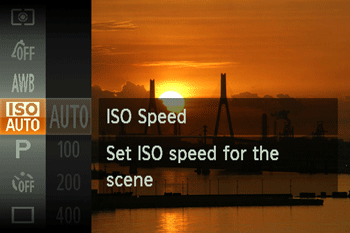
- Press the [
 ] button, then select [
  ] from the menu and choose the desired [ISO Speed].
NOTE
To set the [ISO Speed], it is necessary to set the [Shooting Mode] to one of the following modes:
- [Program AE] (P), [Long Shutter] (  )
)
)*[  ] cannot be set in [Long Shutter] mode.
] cannot be set in [Long Shutter] mode.Mount the camera on a tripod or take other measures to keep it still.
- You should set [IS Mode] to [Off] when using a tripod or other means to secure the camera.
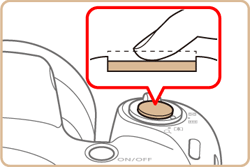
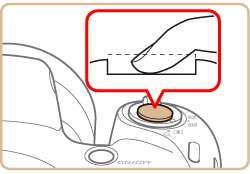
Press the [Shutter button] halfway to focus on subjects before pressing it all the way down to shoot.
- Press the [Shutter button] halfway (press lightly to focus) before pressing all the way down (press fully to shoot).

Make sure subjects are within focusing range.
- Shooting Range
| Focus Range | Maximum Wide Angle  | Maximum Telephoto  |
 | 5 cm (2.0 in.) – infinity | 1.4 m (4.6 ft.) – infinity |
 * * | 0 – 50 cm (0 in. – 1.6 ft.) | - |
 * * | 3.0 m (9.8 ft.) – infinity | 3.0 m (9.8 ft.) – infinity |
| * Cannot be selected for some shooting modes. | ||
Set [AF-assist Beam] to [On].
Press the power button. Press the [MENU] button and then choose the [ ] tab. Press the [ ] , [ ] buttons to choose [AF-assist Beam], and then choose [On].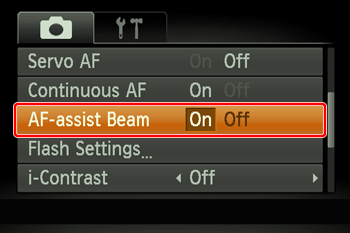
Confirm that unneeded functions such as macro are deactivated.
Press the power button. Press the [ ] button, and then choose a [Focus Range] suitable for your environment.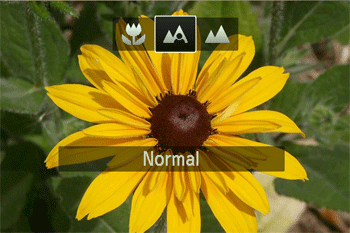
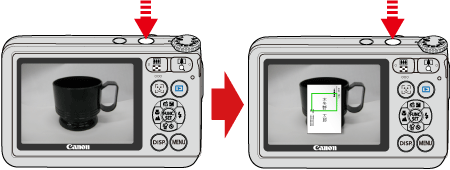
Try shooting with focus lock.
[Focus Lock]
As you continue to hold the [Shutter button] halfway down, recompose the shot as desired.
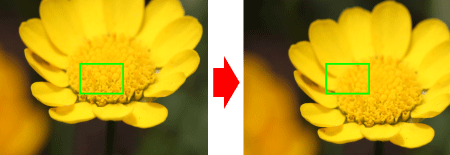
To have [AF frames] displayed and the camera focus correctly, try composing the shot with higher-contrast subject areas centered and then press the [Shutter button] halfway, or press the shutter button halfway repeatedly.
NOTE
For some shooting scenes and subjects, the camera might not focus correctly.