









Changing the Display Language (SELPHY CP1200)
Solution
You can select from 16 different languages.
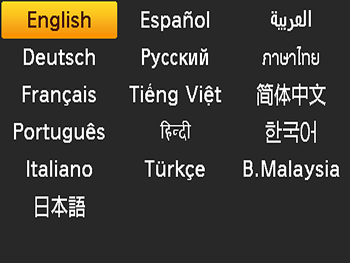
Follow the procedures below to change the display language.
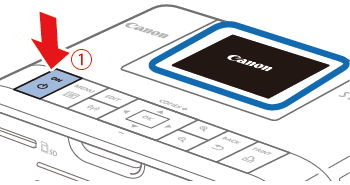
1. Turn on SELPHY.
- Hold the [
 ] button until the screen below is displayed.
 - To turn off SELPHY, hold the [ ] button again until the screen changes.
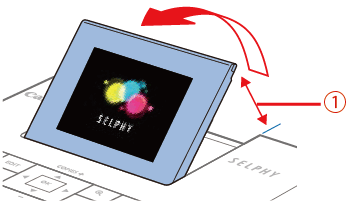
2. Raise the screen (LCD monitor).
- Never force the screen
 up more than 45°, which may damage the printer or cause malfunction.
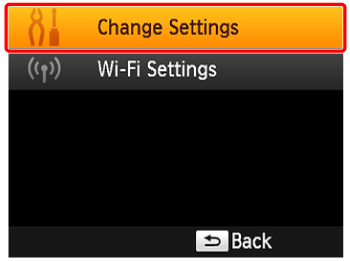
3. Access the setting screen.
- Press the [
 ] button.
 - Press the [
 ], [
], [  ] buttons to select [ Change Settings ], and then press the [
  ] button.

4. Access the language setting screen.
- Press the [ ], [ ] buttons to select [
 Language], and then press the [ ] button.
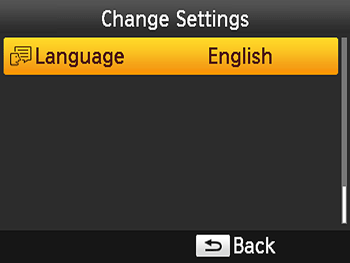
5. Choose a language.
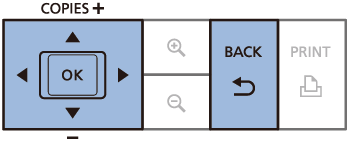
- Press the [ ], [ ], [
 ], [
], [  ] buttons to select a language, and then press the [ ] button.
- Press the [
 ] button twice to return to the screen shown in step 2.