









Can the shutter be released when a lens is not attached? (EOS M3)
Solution
When [Release shutter without lens] is set to [Enable], Even when no lens is attached to the camera, pressing the shutter button completely will release the shutter.
The procedure for setting the camera to release the shutter without a lens attached is explained below.
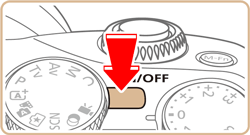
1. Set the camera’s power to [ON].
2. Set the mode dial to [  ], [
], [  ], [
], [  ], [
], [  ], [
], [  ], or [
  ].
].
], [ ], [ ], [ ], [ ], or [ ].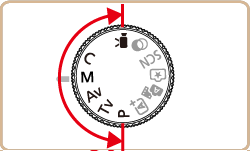
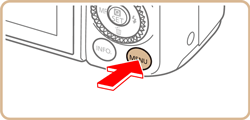
3. Press the [MENU] button to display the menu screen.
4. Press the [  ], [
], [  ] buttons or turn the [
  ] dial to select the [
  - 1] tab.
], [ ] buttons or turn the [ ] dial to select the [ - 1] tab.Press the [  ], [
], [  ] buttons or turn the [
  ] dial to select [C.Fn III: Others] and then press the [
  ] button.
], [ ] buttons or turn the [ ] dial to select [C.Fn III: Others] and then press the [ ] button.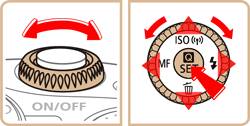
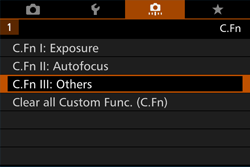
5. Press the [ ], [ ] buttons or turn the [ ] dial or [ ] dial to select [2], and then press the [ ] button.
], [ ] buttons or turn the [ ] dial or [ ] dial to select [2], and then press the [ ] button.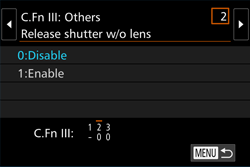
6. Press the [ ], [ ] buttons or turn the [ ] dial to choose [1:Enable], and then press the [ ] button.
], [ ] buttons or turn the [ ] dial to choose [1:Enable], and then press the [ ] button.・At the bottom of the screen, the current Custom Function settings are indicated below the respective function numbers.
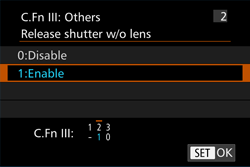
7. When you press the [ MENU ] button, the following screen will reappear.
8. Press the [ MENU ] button again to return to the shooting screen.