


Editing the Movies Shot with the Camera in the Camera (Editing the First and Last Scenes of a Movie) (EOS 7D Mark II)
Solution
You can edit out the first and last scenes of a movie in approx. 1-sec. increments.
The procedure for editing movies with the camera (editing out the first and last scenes) is explained below.
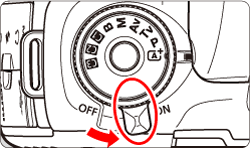
1. Set the camera’s power switch to < ON >.
2. Press the < > to display the image.
> to display the image.
3. Turn the < > dial to select the movie to be played. In the single-image display, press <
 >.
>.
> dial to select the movie to be played. In the single-image display, press <>.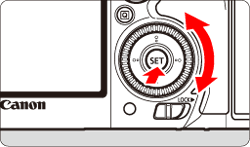
- With the (
 ) single-image display, the <
 > icon displayed on the upper left indicates a movie.
 - In the (
 ) index display, perforations at the left edge of a thumbnail indicate a movie. As movies cannot be played from the index display, press <> to switch to the single-image display.
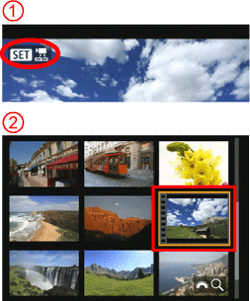
The movie editing panel will be displayed at the bottom of the screen.
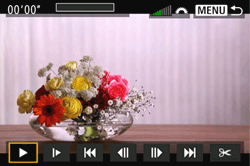
4. Turn the <> dial to select [  ], then press <>.
> dial to select [ ], then press <>. 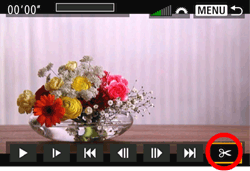
5. Specify the part to be edited out.
Turn the <> dial to select either [  ] (Cut beginning) or [
  ] (Cut end), then press <>.
> dial to select either [ ] (Cut beginning) or [ ] (Cut end), then press <>.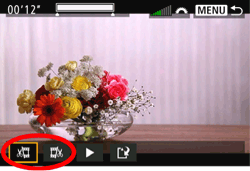
- Tilt <
 > to the left or right to see the previous or next frames. Holding down the key will fast forward or fast rewind the frames.
 - Turn the <> dial for frame-by-frame playback.
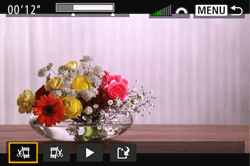
6. After deciding which part to edit out, press <>.
>. 
7. Check the edited movie.
Turn the <> dial to select [ ] and press <> to play back the edited movie.
> dial to select [ ] and press <> to play back the edited movie.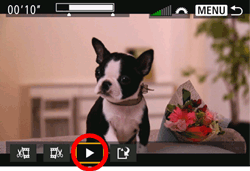
- To change the editing, go back to step 6.
- To cancel the editing, press the <MENU> button, then select [OK] on the confirmation screen.
8. Save the edited movie.
Turn the <> dial to select [  ], then press <>.
> dial to select [ ], then press <>. 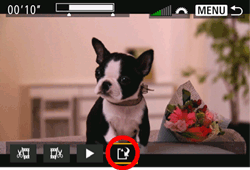
- To save the edited movie as a new movie, select [New file]. To save it and overwrite the original movie file, select [Overwrite].
- On the confirmation screen, select [OK] to save the edited movie and return to the movie playback screen.
IMPORTANT
- Since the editing is performed in approx. 1-sec. increments (position indicated by [
 ] on the top of the screen), the actual position where the movie is edited may differ from the position you specified.
 - If the card does not have enough free space, [New file] will not be available.
- When the battery level is low, movie editing is not possible. Use a fully charged battery.
- Movies shot with another camera cannot be edited with this camera.