









Shooting subjects up close (PowerShot G7 X)
Solution
To restrict the focus to subjects at close range, set the camera to [Macro] ( ).
).
).IMPORTANT
- The following section explains the setting procedures when the camera’s shooting mode has been set to [Program AE] (
 ).
).
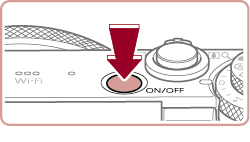
1. Press the <Power> button to turn the camera on.
2. Press the < > button, choose [Macro] () (either press the <
 ><
>< > buttons or turn the <
 > dial), and then press the <FUNC./SET> (
 ) button.
> button, choose [Macro] () (either press the <><> buttons or turn the <> dial), and then press the <FUNC./SET> () button.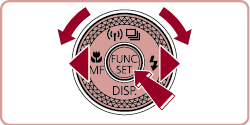
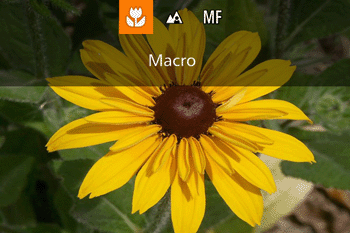
3. Once the setting is complete, [Macro] () is displayed.
) is displayed.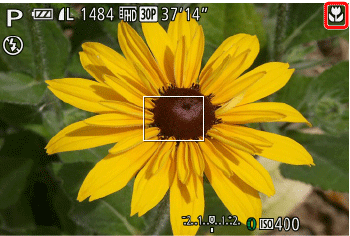
REFERENCE
- If the flash fires, vignetting may occur.
- To prevent camera shake, try mounting the camera on a tripod and shooting with the camera set to [Self-Timer].
NOTE
- The screen indications when operating the <Zoom lever> in [Macro] () mode are as follows.
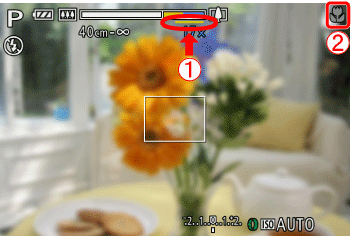
In the  yellow bar display area below the zoom bar,
  [
[  ] will turn gray and the camera will not focus.
yellow bar display area below the zoom bar, [ ] will turn gray and the camera will not focus.The shooting distance for each [Focusing Range] is as shown in the following table (from the end of the lens). If you shoot beyond the following ranges, the subject may be out of focus.
Also, the [Focusing Range] cannot be set in some shooting modes. Please see the following table for details.
| Shooting Range | Shooting Range | When maximum wide angle ( ) is set. ) is set.
| When maximum telephoto ( ) is set. is set. ) is set. is set.
|
|---|---|---|---|
 | - | 5 cm (2.0 in.) – infinity | 40 cm (1.3 ft.) – infinity |
| Other than the above | [Normal] ( ) ) | 5 cm (2.0 in.) – infinity | 40 cm (1.3 ft.) – infinity |
| [Macro*1]() | 5 – 50 cm (2.0 in. – 1.6 ft.) | - | |
[Manual focus*1] ( ) ) | 5 cm (2.0 in.) – infinity | 40 cm (1.3 ft.) – infinity | |
[Underwater macro *2] ( ) ) | 5 – 50 cm (2.0 in. – 1.6 ft.) | - | |
[Quick *3] ( ) ) | 1.5 – 20 m (4.9– 66 ft.) | 1.5 – 20 m (4.9– 66 ft.) |
| Shooting modes in which [Focusing Range] cannot be set |  , ,  , ,  , ,  , ,  , ,  *4, *4,  *4, *4,  *4, *4,  *5, *5,  , ,  *6 *6 |
|---|
*2: In [
] mode, optical zoom is set to maximum wide angle. Additionally, use of digital zoom may cause images to appear grainy at some resolutions *3: In [
] mode, subjects at close range may not be in focus. In this case, try setting the focus range to [ ].*4 : Only selectable in [
] or [ ]. *5: Only selectable in [
], [ ], [ ], or [ ].*6 : Only selectable in [
] or [ ].