









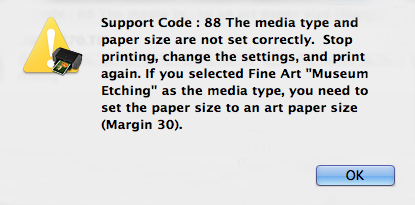
When trying to print on A3+ sized Fine Art Paper, the error message of "Support Code:88" is displayed and it is impossible to print (OS X Mavericks v10.9)
Solution
<Phenomenon>
In OS X v10.9 environment, when trying to print on A3+ sized Fine Art Paper, the error message of "Support Code:88" is displayed and it is impossible to print.
<Cause>
Limitation under OS X v10.9 environment
<Solution>
1. Download and install v10.89.2.0 Printer Driver from Canon download site.
2. Deselect "Check the paper size when printing on A3+ Fine Art Paper" (default: selected) in "Canon IJ Printer Utility"–"Custom Settings" screen.
