Setting the Flash to fire for each shot. (PowerShot N100)
Solution
When setting [Flash] to [Auto], [Flash] is not activated if the surroundings are light. However, when shooting with the subject backlit, [Flash] is sometimes used not to make the subject dark. This section describes the setting to shoot with constant flash.
IMPORTANT
- The following example shows the procedure when the camera’s shooting mode has been set to [Program AE] (
 ).
). - The flash cannot be set to [ON] in the following modes:
 ,
,  ,
,  ,
,  ,
,  ,
, 
1. Press the <Power> button to turn the camera on.
2. Move the < ( ) Flash> switch to raise the flash.
) Flash> switch to raise the flash.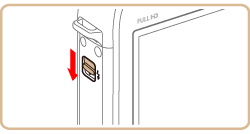
3. Press the < ( ) Flash> button.
) Flash> button.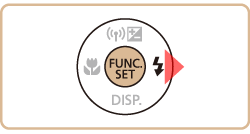
IMPORTANT
- The setting screen cannot be accessed by pressing the <Flash> () button when the flash is lowered. Move the <Flash> () switch to raise the flash, then configure the setting.
4. Press the < ><
>< > buttons to select [On] (
 ).
).
><> buttons to select [On] ().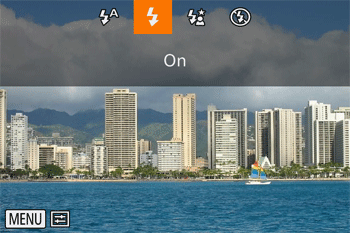
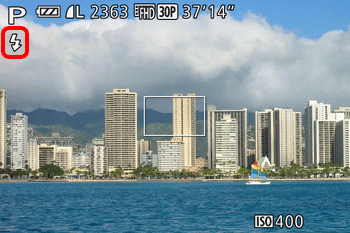
5. If the following icon is displayed on the monitor, the setting is complete.