









Adjusting Exposure Compensation (PowerShot SX700 HS)
Solution
The standard exposure set by the camera can be adjusted in 1/3-stop increments, in a range of –2 to +2.
IMPORTANT
•In the following example procedure, the camera's shooting mode has been set to [Program AE] ( ) mode.
) mode.For a list of shooting modes in which exposure compensation cannot be set, please refer to the table at the bottom of the page.
1. Set the camera’s mode dial to [Program AE] () mode, and then press the power button.
) mode, and then press the power button.
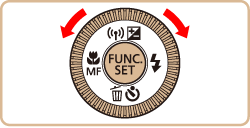
2. Press the < > button.
> button.
3. As you watch the screen, turn the < > dial to adjust the brightness.
> dial to adjust the brightness.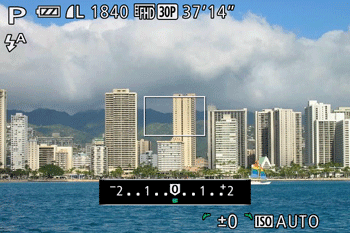
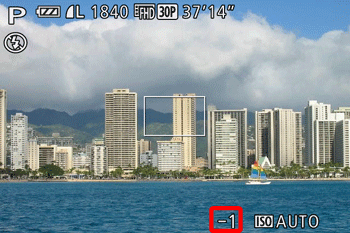
4. The correction level you specified is now displayed.
Exposure compensation cannot be set in the following shooting modes.
| Model | Shooting Mode |
|---|---|
| PowerShot SX700 HS |  , ,  , ,  , ,  , ,  , ,  |