









Setting the Self Timer (VIXIA mini X / LEGRIA mini X)
Solution
The self timer is convenient for when you want to get shots of yourself with your family or friends. The shot can be set to start after a 10 second or 2 second delay.
1. Set the power switch to ON to turn on the camcorder.
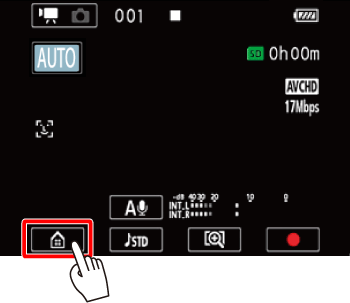
2. Touch [  ].
].
].
3.  Drag your finger left/right to bring [Self Timer] to the center, and then
  touch the icon to open it.
Drag your finger left/right to bring [Self Timer] to the center, and then touch the icon to open it.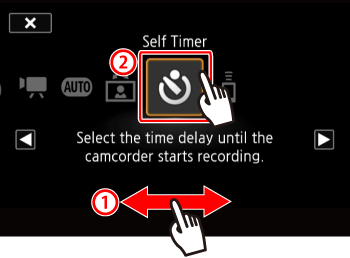
4. Touch [  ] (2 sec.) or [
  ] (10 sec.).
] (2 sec.) or [ ] (10 sec.).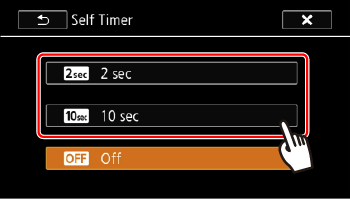
REFERENCE
Repeat, selecting [  Off], to turn off the self timer.
Off], to turn off the self timer.5. Touch [  ].
].
].[  ] or [
  ] will appear on the screen.
] or [ ] will appear on the screen.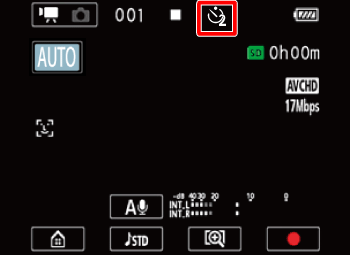
- Movies:
In record standby mode, press the start/stop button, or touch [  ].
].
].- The countdown appears on the screen.
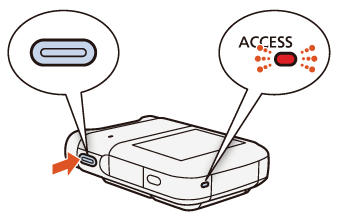
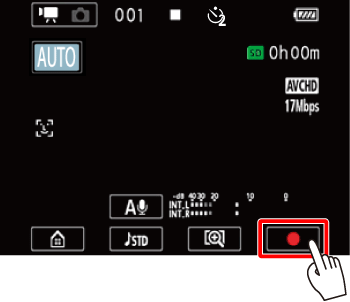
- Photos:
In record standby mode, press the start/stop button, or touch [PHOTO].
- The countdown appears on the screen.
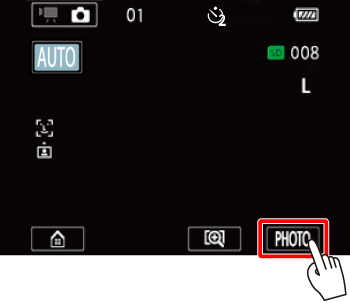
NOTE
- Once the countdown has begun, any of the following actions will cancel the self timer.
-Pressing the start/stop button.
- Touching [ ], when recording movies.
], when recording movies.- Pressing the photo button, when recording photos.
- Turning off the camcorder.
- Pressing and holding the < > button.
> button.