









How to Turn Off the [Demo Mode] Setting (VIXIA HF G30 / LEGRIA HF G30)
Solution
The demonstration mode displays the camcorder’s main features. It starts automatically when the camcorder is powered with the compact power adapter if you leave it turned on without a memory card for more than 5 minutes.
The procedure for turning the [Demo Mode] setting off is explained below.
1. Connect the compact power adapter to the camcorder.
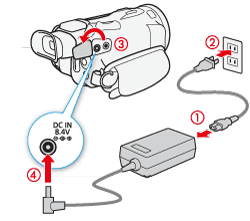
NOTE
If a memory card is inserted, remove it before continuing.
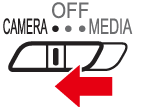
2. Set the power switch to <CAMERA>.
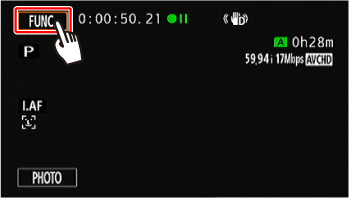
3. Touch [  ].
].
].
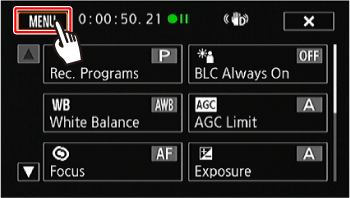
4. Touch [  ].
].
].
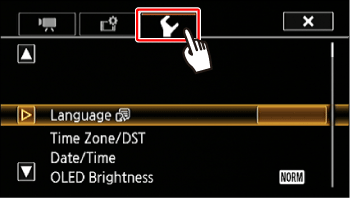
5. Touch [  ].
].
].
6.  Drag your finger up or down to bring [Demo Mode] into the orange selection bar, and then
  touch the button.
Drag your finger up or down to bring [Demo Mode] into the orange selection bar, and then touch the button.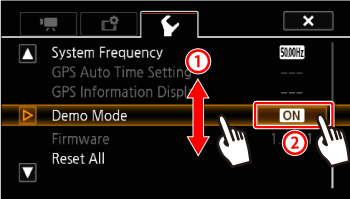
7. Touch [OFF].
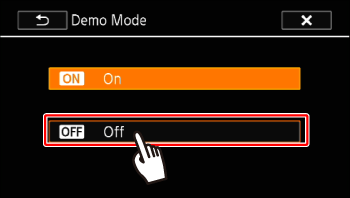
This concludes the procedure for turning off the [Demo Mode] setting.