









Turning off the Notification Sounds when the Camcorder is Turned On
Solution
A beep will accompany some operations like turning on the camcorder, the self-timer countdown, etc.
To turn off these sounds, follow the steps below to set [Notification Sounds] to [Off].
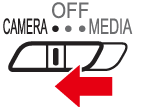
1. Set the power switch to [CAMERA].
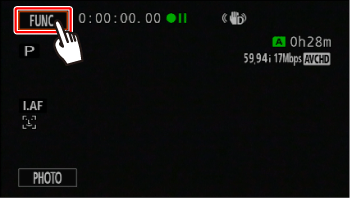
2. Touch [  ].
].
].
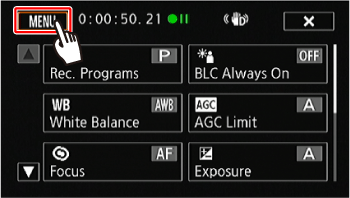
3. Touch [  ].
].
].
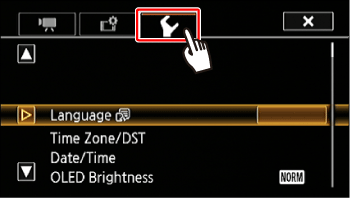
4. Touch [  ].
].
].
5.  Drag your finger up or down to bring [Notification Sounds] into the orange selection bar, and then
  touch the button.
Drag your finger up or down to bring [Notification Sounds] into the orange selection bar, and then touch the button.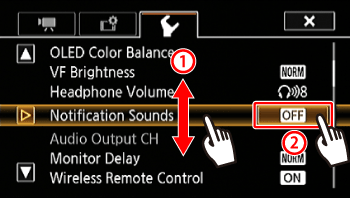
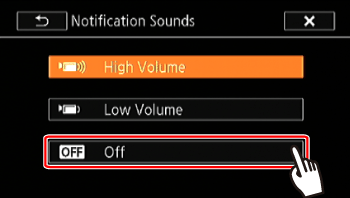
6. Touch the volume you want to set.
In this example, you would touch [Off].
7. Touch [  ] to close the menu.
] to close the menu.