









Capturing Video Snapshot Scenes from a Movie
Solution
Using video snapshot mode, you can capture 2, 4, or 8 seconds short scenes (video snapshot scenes) that you can playback with a background music that is different from the actual recorded sound. Please refer to What is the Video Snapshot function? for details.
You can capture video snapshot scenes from a previously recorded scene.
1. Press <  > to switch to movie playback mode.
> to switch to movie playback mode.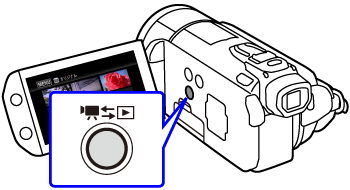
2. Touch [  ], select the built-in memory, Card A, or Card B, and then select [ Original ] or [ Playlist ] to display the index screen.
], select the built-in memory, Card A, or Card B, and then select [ Original ] or [ Playlist ] to display the index screen. 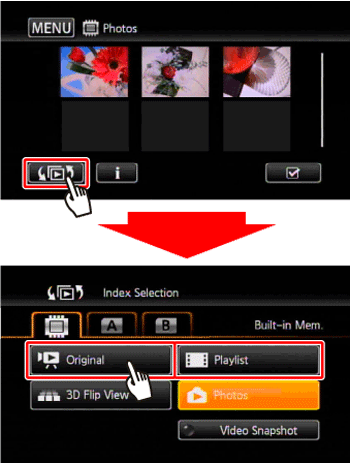
3. Play back the desired scene.
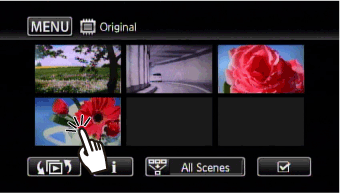
4. Press < START/STOP > to capture the video snapshot scene.
- During playback, a movie is copied and it is then converted into a video snapshot scene.
- When the camcorder stops recording, the screen will momentarily turn black as if a camera shutter had released.

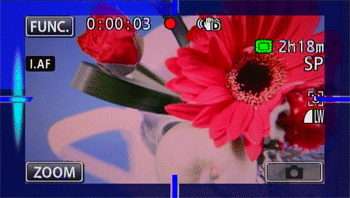
5. Touch [  ] to return to the index screen.
] to return to the index screen.CAUTION
- A video snapshot scene can be captured only during playback; it cannot be captured during playback pause mode.
- The captured video snapshot scene is saved to the same memory that contains the source scene.
NOTE
- Video snapshot scenes cannot be captured from any of the following types of scenes.
-Scenes shorter than 1 second
-Scenes that were edited using the supplied software VideoBrowser and were then transferred back to the camcorder.
- When the source scene is itself a video snapshot scene, you may not be able to capture a video snapshot scene depending on the length of the source scene and the length currently selected for video snapshot scenes.
- When you start capturing a video snapshot scene less than 1 second from the end of the scene, the video snapshot scene will be captured starting from the beginning of the following scene.
- During the playback of video snapshot scenes captured from a previously recorded movie, you may notice some anomalies in the picture/sound at the point where the playback switches to a new scene.