









Checking the amount of the memory cards that is currently in use
Solution
This section explains the procedure to check the amount of the memory cards that is currently in use.
1. Turn on the camcorder.
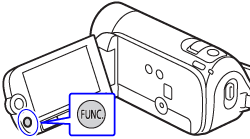
2. Prass the <FUNC.> button.
3. Select [  Menu ] and press <SET> button.
Menu ] and press <SET> button.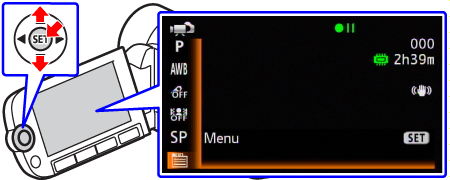
4. Select the [  (Information Screens) ].
(Information Screens) ].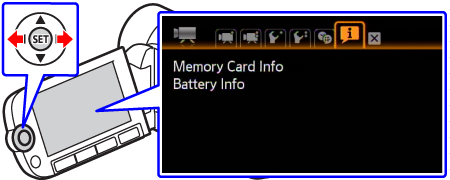
5. Select [Memory Card Info] and press <SET> button.
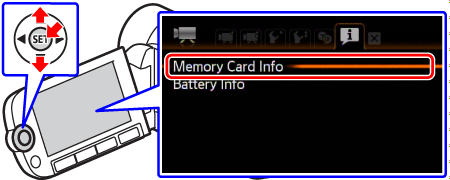
6. Check the memory information, such as the total space.
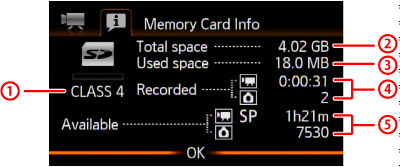
 SD Speed Class
 Total space
 Used space
 Total recording time / total number of photos
 Available recording time / number of available photos