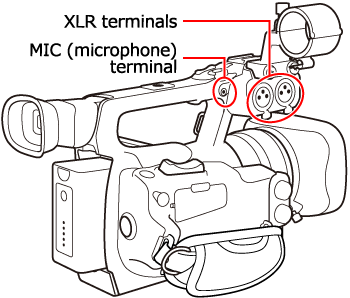
How to Attach An External Microphone (XF105/XF100)
Solution
This section provides explanations about attaching an external microphone to the camcorder.
You can record audio using the built-in microphone, optional external microphone (XLR or MIC terminal) or line input (XLR terminal). You can select the audio input independently for channel 1 and channel 2.
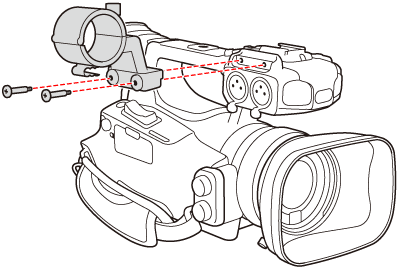
When using a microphone, attach the supplied microphone holder unit to the camcorder as necessary.
1. Loosen the microphone lock screw ( ), open the microphone holder unit and insert the microphone(
 ).
).
), open the microphone holder unit and insert the microphone().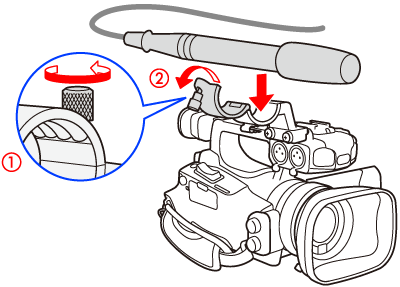
2. Tighten the lock screw ( ) and put the microphone cable through the microphone cable clamp under the microphone holder unit (
 ).
).
) and put the microphone cable through the microphone cable clamp under the microphone holder unit ().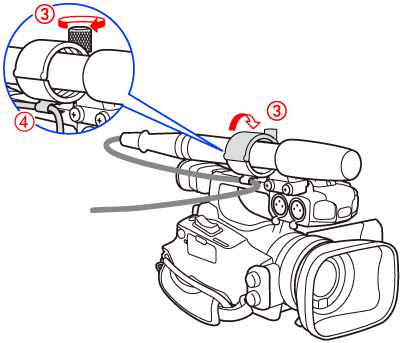
3. Plug the microphone cable into the desired XLR terminal or MIC Terminal.