









Customizing the operation buttons on the EOS 60D (assigning functions other than the default functions to the buttons)
Solution
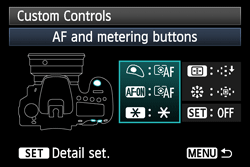
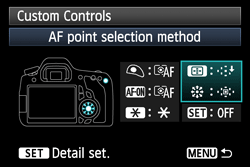
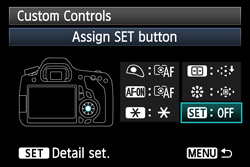
It is possible to customize functions assigned to the following operation buttons (by changing the default settings to make the camera easier to use) on the Quick Control screen that appears when the <Q> button is pressed.
AF and metering buttons
AF point selection method
Assign SET button
CAUTION
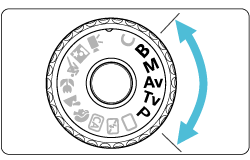
It is not possible to customize functions assigned to the operation buttons in Basic Zone modes. To customize the functions, set the Mode Dial to a Creative Zone mode.
1. Flip out the LCD monitor, then set the power switch to <ON>.
For the details about how to open the LCD monitor, see How to use the vari-angle LCD monitor of the EOS 60D.
2. Set the Mode Dial to a Creative Zone mode.
3. Press the <Q> button to display the Quick Control screen.
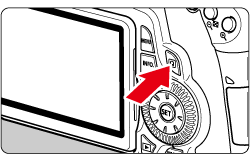
4. Select [Custom Controls], then press the <SET> button.
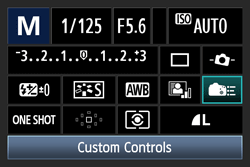
5. Select the desired settings, press the <SET> button.
(As an example, [AF and metering buttons] is selected here.)
6. Turn the <Quick Control Dial> to select the settings, then press the <SET> button.
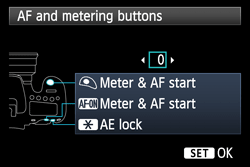
7. Press the <MENU> button to return to the the Quick Control screen.
8. Press the shutter button halfway, and then the camera is ready for shooting.
NOTE
The Custom Controls function on the Quick Control screen is the same as the [  : Custom Functions] below:
: Custom Functions] below:- [AF and metering buttons] : C.Fn IV -1
- [AF point selection method] : C.Fn III -2
- [Assign SET button] : C.Fn IV -2