









How do I set the language on the camera?
Solution
You can change the language displayed in the LCD monitor menus and messages.
1. Press the <Playback> ( ) button to turn on the camera.
) button to turn on the camera.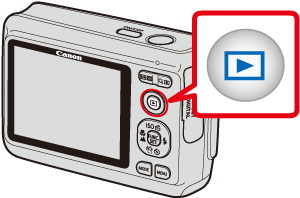
2. Hold down  the <FUNC./SET> (
 ) button, and press
  the <MENU> (
 ) button immediately.
the <FUNC./SET> () button, and press the <MENU> () button immediately.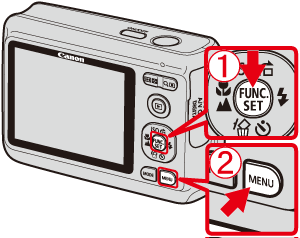
3. The following screen will appear on the LCD monitor.
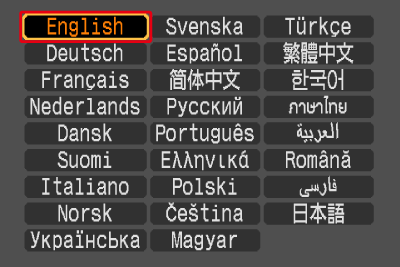
Operate the <directional buttons> to select the language you want to switch to, and then press the <FUNC./SET> () button.
) button.