









Output Trays
Solution
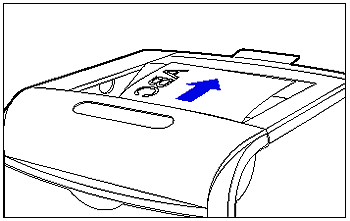
Printed paper is output to the output tray on the top of the printer with the printed side facing down. Printed paper piles in order of page.
IMPORTANT
- When printing long size paper, take out one piece at a time each time it is output.
- Do not touch the paper until it is output to the output tray completely.
| 2-sided Printing | The paper is once output partially after the front side is printed, and then it is fed again to be printed on the reverse side. After the reverse side is printed, the paper is output completely. |
| Paper Type | Paper Capacity*1 |
Plain paper (Ex. 80 g/m ) ) | Approx. 250 sheets |
| Heavy paper (Ex. 128 g/m) | Approx. 200 sheets |
| Coated paper | Approx. 150 sheets |
| Label | Approx. 100 sheets |
| Envelope | Approx. 20 sheets |