


[Windows 64bit] Generic Plus PS3 Printer Driver V3.40
I have read and understood the disclaimer below
and wish to download the designated software
Software Information
Software Information
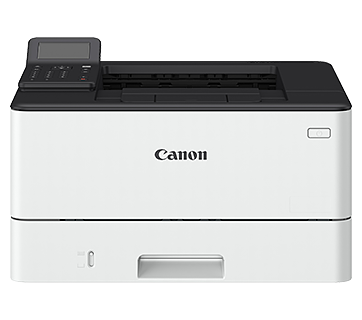
Supported Models
Operating System
Language(s)
Outline
This is a Canon-developed Generic Plus PS3 Printer Driver.
This is a generic printer driver that supports various Canon devices. You can use the same driver for all printer models by changing the settings for the printing port and device information.
Update History
V3.31
1. Addressed vulnerabilities.
(CVE-2025-7698/9903/9904)
V3.15
1. Addressed vulnerabilities.
(CVE-2025-1268)
Caution
An update installation cannot be performed from the Generic PS3 Printer Driver.
This is a package-aware driver.
The following limitations exist when using a shared printer in a point-and-print environment.
* The Generic Plus driver does not support the Add-in products that are included with the following products (applicable products may vary depending on the driver or region).
- Access Management System (AMS Printer Driver Add-in)
- Encrypted Secured Print Driver Add-in
Please use the AMS Printer Driver Add-in and the Encrypted Secured Print Driver Add-in included as standard with the Generic Plus driver.
The Add-in tab will be hidden if a language that is not supported by the Add-in is selected.
- The AMS Printer Driver Add-in includes support for the following languages.
English/French/Italian/German/Spanish
- The Encrypted Secured Printer Driver Add-in includes support for the following languages.
English/French/Italian/German/Spanish
Setup instruction
*Precaution When Using a USB Connection
Disconnect the USB cable that connects the device and computer before installing the driver.
Connect the USB cable after installing the driver.
Driver and application software files have been compressed.
The following instructions show you how to download the compressed files and decompress them.
1. To download files, click the file link, select [Save], and specify the directory where you want to save the file.The download will start automatically.
2. Downloaded files are saved in the specified folder in a self-extracting format (.exe format).
3. Double-click the files to decompress them. A new folder will be created in the same folder. The new folder will have the same name as the compressed file.
4. Double-click the decompressed Setup.exe file to start installation.
File information
- File name : GPlus_PS3_Driver_V340_W64_00.exe
- File version : V3.40
- File language : TC,TH,EN,ZH,VN,MS,AR,CA,CZ,DE,DK,ES,EU,FI,FR,HE,HU,IT,JA,KR,NL,NO,PL,PT,RU,SE,SK,TR,UA
- File size : 35.31 MB
Disclaimer
All software, programs (including but not limited to drivers), files, documents, manuals, instructions or any other materials (collectively, “Content”) are made available on this site on an "as is" basis.
Canon Hongkong Company Limited., and its affiliate companies (“Canon”) make no guarantee of any kind with regard to the Content, expressly disclaims all warranties, expressed or implied (including, without limitation, implied warranties of merchantability, fitness for a particular purpose and non-infringement) and shall not be responsible for updating, correcting or supporting the Content.
Canon reserves all relevant title, ownership and intellectual property rights in the Content. You may download and use the Content solely for your personal, non-commercial use and at your own risks. Canon shall not be held liable for any damages whatsoever in connection with the Content, (including, without limitation, indirect, consequential, exemplary or incidental damages).
You shall not distribute, assign, license, sell, rent, broadcast, transmit, publish or transfer the Content to any other party. You shall also not (and shall not let others) reproduce, modify, reformat, disassemble, decompile or otherwise reverse engineer or create derivative works from the Content, in whole or in part.
You agree not to send or bring the Content out of the country/region where you originally obtained it to other countries/regions without any required authorization of the applicable governments and/or in violation of any laws, restrictions and regulations.
By proceeding to downloading the Content, you agree to be bound by the above as well as all laws and regulations applicable to your download and use of the Content.