









紙張無法送入印表機
如何設定靜音模式 (Mac OS 9.x)
在靜音模式下列印時,
列印噪音較平時要
輕。
1. 從「檔案 (File)」功能表中
選擇「頁面設定 (Page Setup)」。
2. 在「頁面設定 (Page Setup)」對話方塊中
按一下「工具程式 (Utilities)」。
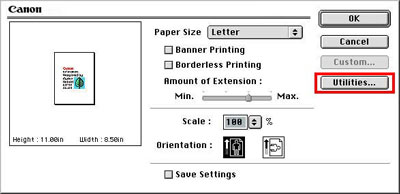
3. 確認在「印表機工具程式 (Printer Utility)」對話方塊中
選擇「靜音模式 (Quiet Mode)」。
4. 如有需要,請選擇
以下設定。
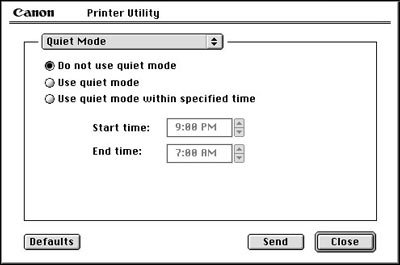
4-1. <不使用
靜音模式 (Do not use quiet mode)>
4-2. <使用靜音
模式 (Use quiet mode)>
4-3. <在指定時間內
使用靜音模式 (Use quiet mode within specified time)>
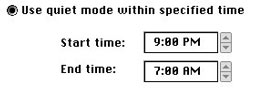
備註:「開始時間」
與「結束時間」相同時,
靜音模式無法應用。
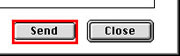
5. 確認印表機
已開啟,按一下「傳送 (Send)」。
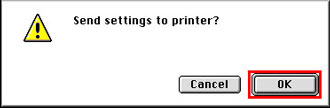
6. 顯示確認訊息時,
按一下「好 (OK)」。
將應用
所選設定。
備註:即使選擇 <在指定時間內
使用靜音模式 (Use quiet mode within specified time)>,使用「恢復/取消」按鈕直接從印表機
執行測試列印時,
也無法使用靜音模式。